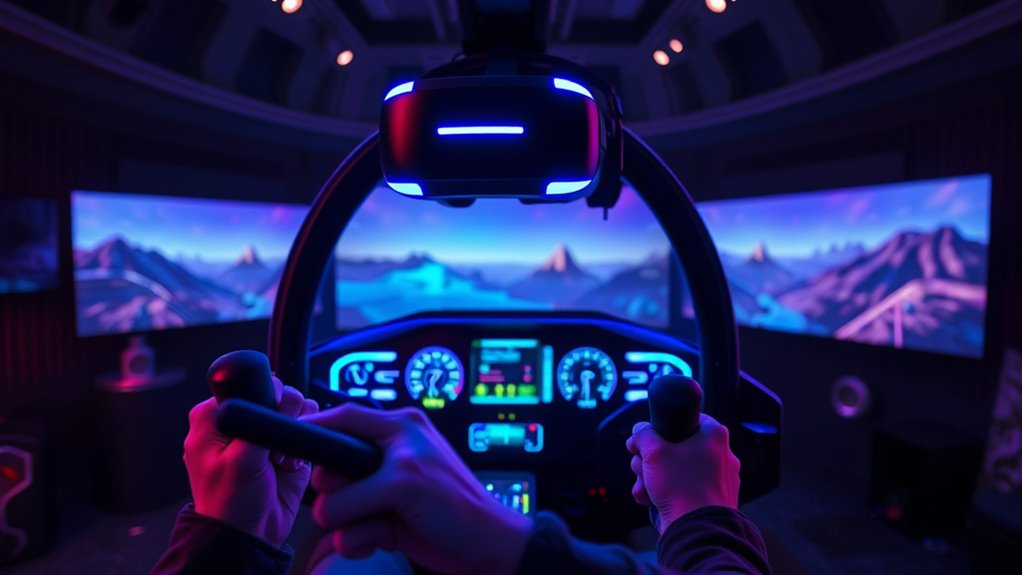
Essential VR Flight Sim Hardware: Stunning Visuals & Realism
The dream of flight, once confined to the pages of books or the screens of movies, has undergone a revolutionary transformation with the advent of virtual reality. For aviation enthusiasts and aspiring pilots alike, VR flight simulation offers an unparalleled level of immersion, blurring the lines between the digital and physical worlds. To truly unlock this potential, however, you need more than just a VR headset; you need a carefully curated selection of vr flight simulator equipment designed to deliver stunning visuals and an authentic flying experience. From high-resolution displays to tactile controls, the right hardware is the bedrock of an unforgettable virtual journey through the skies.
In 2025, the landscape of VR flight simulation is richer and more sophisticated than ever. Combining top-tier VR headsets with a suite of realistic controls and compatible software creates an experience that goes beyond mere gaming, offering an indispensable tool for both professional pilots and dedicated hobbyists. This comprehensive guide will walk you through the essential hardware choices, offering insights and tips to elevate your VR flight adventures to new heights of realism and visual fidelity.
The Foundation: Top-Tier VR Headsets for Visual Fidelity
The VR headset is arguably the most critical piece of your vr flight simulator equipment, as it dictates the quality of the visual experience. For flight simulation, where reading intricate cockpit instruments and spotting distant aircraft are paramount, resolution, field of view (FoV), and clarity are non-negotiable. Forget motion sickness; a good headset makes you forget you're not actually in the cockpit.
- Dedicated PCVR Headsets: The Pinnacle of Immersion
For the ultimate visual experience, high-end PCVR headsets like the Pimax Crystal are leading the charge. Known for its exceptional clarity and high pixel density, the Pimax Crystal sets a benchmark for stunning visuals, making gauges sharp and the virtual world incredibly detailed. When choosing a PCVR headset, consider:
- Resolution and Pixels Per Degree (PPD): Higher resolution means sharper images and clearer text, vital for reading small dials and MFDs in a virtual cockpit. PPD is a better metric than total resolution as it considers the FoV.
- Field of View (FoV): A wider FoV mimics natural human peripheral vision, enhancing immersion and making the cockpit feel more expansive.
- Display Technology: OLED offers deeper blacks and vibrant colors, while LCD can provide higher brightness and fill factor.
- Refresh Rate: A higher refresh rate (e.g., 90Hz, 120Hz) results in smoother motion, reducing eye strain and increasing the sense of realism.
- Comfort and Ergonomics: For long flight sessions, a comfortable headset that accommodates glasses and offers good weight distribution is crucial.
- Smartphone VR Headsets: Accessible Entry Points
While not offering the same fidelity as dedicated PCVR, smartphone-based VR headsets provide an accessible and affordable entry into virtual flight. Devices like the DESTEK V5 VR Headset for Phone, the 3D VR Glasses Virtual Reality Headset, and the CoCerKet VR Headset for Smartphones are designed to transform your mobile phone into a virtual window. These options often boast:
- Eye Protection: Features like HD anti-blue light lenses are common, protecting your eyes during extended sessions – a significant advantage for any VR user.
- Adjustable Optics: Many accommodate users who wear glasses and offer adjustable pupil distance and focus for optimal viewing comfort.
- Portability and Affordability: Their primary strength lies in their ease of use and lower cost, making them ideal for casual experiences or to dip your toes into VR flight.
While smartphone VR excels in accessibility, users should be aware of limitations in tracking precision and overall graphical fidelity compared to dedicated PCVR systems.
Immersive Controls: The Heartbeat of Realistic Flight
Visuals alone aren't enough for true immersion; you need to feel connected to the aircraft. This is where high-quality controls come into play. Your choice of input devices significantly impacts the realism, precision, and enjoyment of your flight simulations. This is where your investment in vr flight simulator equipment truly begins to pay off in terms of haptic feedback and responsiveness.
- HOTAS (Hands-On Throttle And Stick) Systems:
For serious combat flight simulations or complex aircraft, a HOTAS system is virtually indispensable. Products like the DeadEyeVR HOTAS and the Thrustmaster T-Flight offer dedicated sticks and throttles, allowing for precise control over pitch, roll, yaw, and engine power. The key benefits include:
- Ergonomics and Button Mapping: A good HOTAS provides a wealth of programmable buttons, switches, and hats, letting you map critical functions directly to your fingertips without fumbling for a keyboard in VR.
- Tactile Feedback: The physical feel of the stick and throttle, the resistance, and the detents, contribute significantly to the sense of realism.
- Precision: High-quality sensors ensure smooth and accurate input, crucial for delicate maneuvers.
- Rudder Pedals: Essential for Authentic Control:
While some joysticks offer twist-grip rudder control, dedicated rudder pedals provide a far more authentic and precise experience. They are crucial for controlling yaw (especially in crosswinds), taxiing, and flying helicopters or tail-dragger aircraft. They complete the primary flight control triad, allowing for independent control over all three axes of flight.
- Button Boxes & Cockpit Panels: Enhancing Realism:
To further reduce reliance on the keyboard and mouse within VR, dedicated button boxes and modular instrument panels (MIPs) are invaluable. The WINWING Phoenix MIP, for example, offers a high-fidelity solution for integrating realistic switches and displays into your setup. These peripherals allow you to physically interact with your virtual cockpit, flicking switches and pushing buttons just as a real pilot would. The tactile satisfaction and muscle memory developed with these components deepen immersion significantly.
- RC Flight Specific Controllers:
For enthusiasts of remote control (RC) aircraft simulation, specialized controllers like the Interlink DX Controller, bundled with the REALFLIGHT Evolution RC Flight Simulator, offer an intuitive and familiar interface. This controller is designed to mimic the feel of an actual RC transmitter, providing a seamless transition for hobbyists. It minimizes keyboard/mouse input, ensuring that the focus remains on flying, not fumbling with controls.
To explore more options and detailed comparisons of flight controls, you might find our guide VR Flight Sim Gear Guide: Best Headsets & Controls for Immersion particularly helpful.
Beyond the Basics: Enhancing Your Virtual Cockpit
Once you've secured your headset and primary controls, there's a world of additional vr flight simulator equipment that can further transform your setup into a highly realistic virtual cockpit. These additions bridge the gap between your physical space and the virtual world, making the experience truly immersive.
- Dedicated Instrument Displays:
While VR headsets show all cockpit instruments virtually, some advanced users opt for external high-resolution instrument displays. These can be physical screens displaying virtual gauges, or even specialized hardware like replica multi-function displays (MFDs) that integrate with your simulator software. This approach can offload rendering from your VR headset for certain elements, or provide a fixed reference point, adding to the feeling of a "real" cockpit.
- Full Cockpit Setups: The Ultimate Immersion:
For the most dedicated enthusiasts, building a full cockpit setup is the ultimate goal. This involves creating a physical structure that mimics an aircraft's cockpit, complete with panels, switches, and even custom seating. While a significant investment in time and money, a full cockpit rig, especially when combined with VR, offers an unparalleled level of realism. Imagine feeling the side of the console in your hand as you reach for a virtual switch – the synergy is incredible.
- Haptic Feedback Systems: Feeling the Flight:
Beyond visual and auditory cues, haptic feedback adds another layer of immersion. This can range from bass shakers mounted to your seat, providing engine rumble and turbulence feedback, to more advanced haptic vests that simulate G-forces or impacts. Integrating haptics with your vr flight simulator equipment creates a multi-sensory experience that significantly enhances the feeling of being in the air.
- Motion Platforms: Dynamic Realism:
At the very high end, motion platforms physically move your chair or cockpit in response to in-game forces. While incredibly expensive, these platforms offer the most profound level of physical immersion, replicating pitch, roll, and even vibrations. Combining a motion platform with a high-end VR headset and controls is the apex of current flight simulation technology.
For detailed advice on constructing and equipping an advanced setup, don't miss our article Build Your Ultimate VR Flight Sim Cockpit: Top Gear for Immersion.
Software Synergy: The Unsung Hero of Immersion
No matter how cutting-edge your vr flight simulator equipment, the software driving the experience is equally vital. A great VR headset and realistic controls need a robust flight simulator that supports immersive VR and provides accurate flight physics, detailed environments, and engaging content.
- PC Flight Simulators with VR Support:
Modern titans like Microsoft Flight Simulator, DCS World, and X-Plane 12 offer incredible graphical fidelity and complex flight models that are fully compatible with VR headsets. These simulators allow you to explore vast virtual skies, engage in challenging combat scenarios, or meticulously practice real-world procedures.
- Realistic Flight Physics: Essential for feeling the nuances of flight, from lift and drag to stalls and spins.
- Detailed World Simulation: High-resolution terrain, accurate weather systems, and realistic airports enhance the visual experience.
- VR Optimization: Good VR performance within the simulator is crucial to prevent motion sickness and maintain immersion.
- REALFLIGHT Evolution RC Flight Simulator:
For those focused on remote control aviation, REALFLIGHT Evolution stands out. Available as a software-only package or bundled with the Interlink DX controller, it offers a vast selection of ultra-micro, sport, scale, EDF, and trainer aircraft from popular RC brands. Its modern interface is designed for ease of use with VR compatibility, offering realistic flight physics and multiplayer options. Exploring iconic flying spots like the Triple Tree Aerodrome virtually becomes a deeply immersive experience for RC enthusiasts.
The synergy between your hardware and software is key. Ensure your chosen simulator is well-optimized for VR and that your PC meets the recommended specifications for both the simulator and your VR headset to achieve the smoothest, most visually stunning experience possible.
Putting It All Together: Setup Tips for Optimal Experience
Acquiring the right vr flight simulator equipment is just the first step. Optimizing your setup will ensure you get the most out of your investment:
- Ergonomics First: Position your chair, desk, and controls so that they are comfortable for long sessions. Your physical controls should ideally align with their virtual counterparts for maximum immersion.
- Cable Management: Especially for tethered PCVR headsets, good cable management prevents tangles and enhances freedom of movement.
- Lighting for Tracking: Ensure your room has adequate, consistent lighting for optical tracking systems. Avoid direct sunlight or very dark conditions.
- Calibration is Key: Calibrate your joystick, throttle, and rudder pedals within your simulator to ensure accurate and responsive control.
- Performance Tweaks: Experiment with your simulator's graphics settings and VR-specific options to find the best balance between visual quality and smooth performance on your system.
Conclusion
Embarking on the journey of virtual flight simulation with VR is an exhilarating experience that combines cutting-edge technology with the timeless allure of aviation. Building an ultimate setup requires a strategic approach to selecting your vr flight simulator equipment, from the high-fidelity visuals of your headset to the precise, tactile feedback of your controls, and the immersive world rendered by your software. Whether you're a seasoned pilot seeking to hone your skills, an RC enthusiast perfecting your maneuvers, or simply an adventurer longing to explore virtual skies, investing in the right hardware will unlock an unparalleled level of realism and visual splendor. Prepare for takeoff – the virtual cockpit awaits!